
Skip to content
Solutions
Company

Complete hospital information management

Sense Standard

A connected working system for the everyday hospital.

Sense Standard brings registration, appointments, consultation, admission, diagnostics, pharmacy, billing and core administration into one coordinated hospital workflow.

Product coverageSwaves Health
01

Outpatient and inpatient journeys

02

Diagnostics and pharmacy workflows

03

Billing, deposits and settlement

04

Department and role-based worklists

Configured around facilities, services and roles
Best suited to

Single hospitals and growing care organisations that need broad operational coverage without beginning with a multi-entity transformation programme.

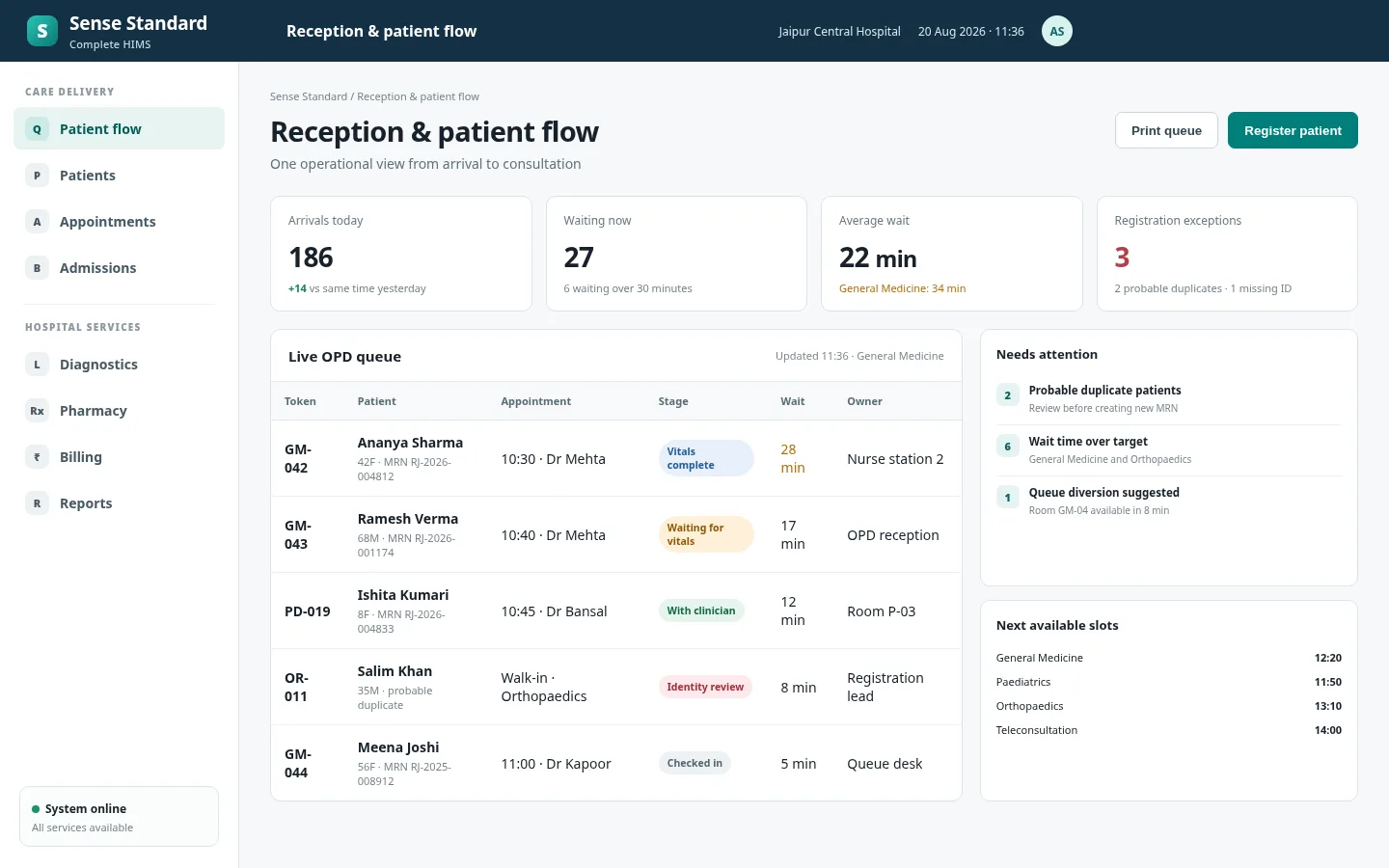
Sense StandardPatient access and queue
Sense Standard patient access workspace
Representative workspace using realistic synthetic data.
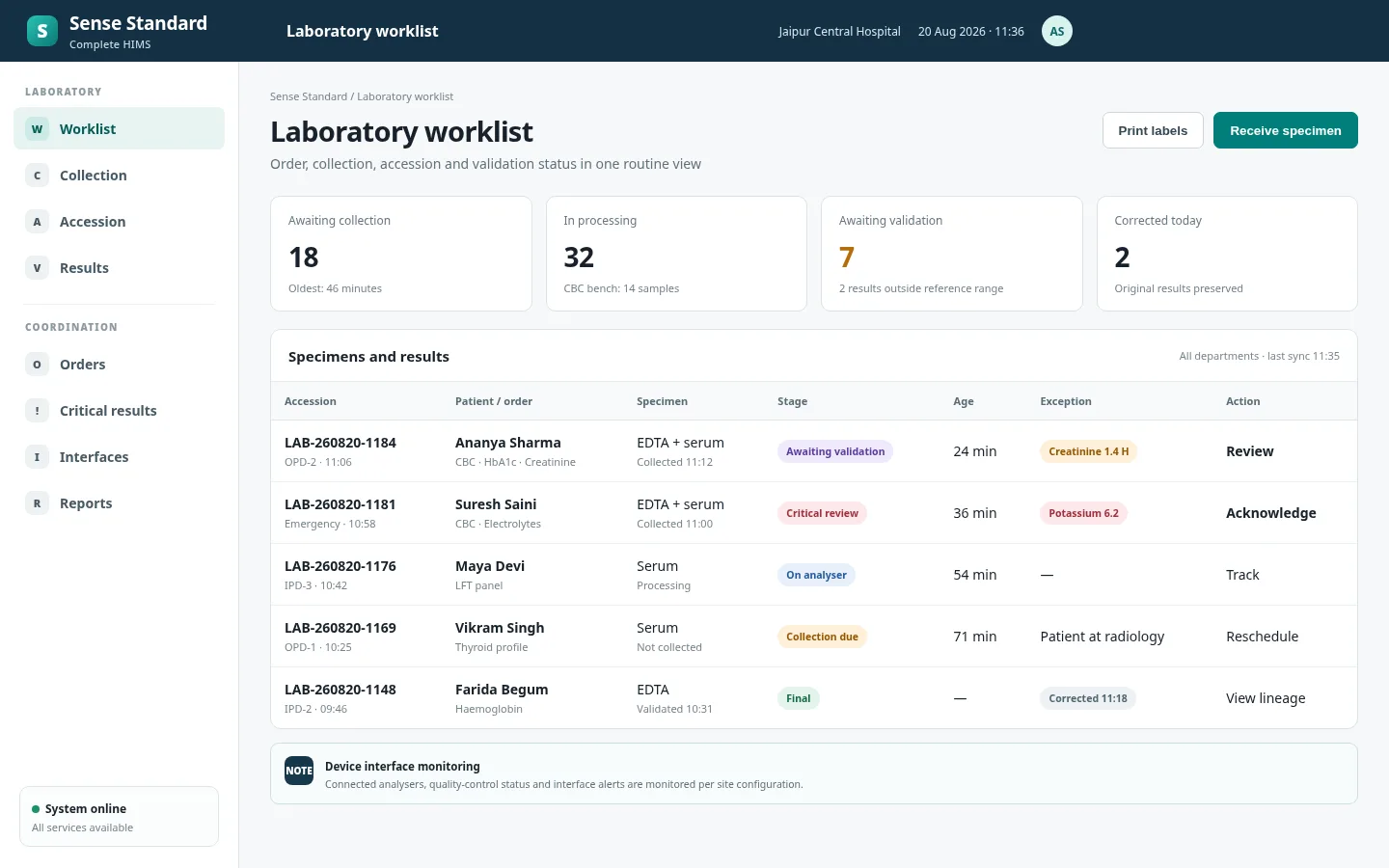
Sense StandardLaboratory worklist
Sense Standard laboratory workspace
Representative workspace using realistic synthetic data.

Operating outcome

What changes for the hospital

The product is organised around the work that has to finish, not a loose collection of department screens.

A single patient journey from first contact through settlement

Coordinated hand-offs between reception, care teams, diagnostics and billing

Visible queues, pending actions and department workload

Configurable services, tariffs, roles, forms and print formats

Capability catalogue

Capabilities organised by hospital responsibility.

Capabilities are grouped by the operational responsibility they support, with configuration and integration shaped during implementation.

01

Patient access and front office

Run the first mile of care with a consistent patient identity and visible queues.

  • Patient registration and duplicate review
  • Appointment calendars and provider schedules
  • Walk-in, referral and follow-up visits
  • Queue, token and counter workflows
  • Demographics, contacts and responsible-party details
  • Document capture and consent records
02

Outpatient and clinical services

Give clinicians a structured record while keeping orders and follow-up connected.

  • Triage, vitals and clinical notes
  • Problems, diagnoses and allergies
  • Medication, laboratory and imaging orders
  • Procedures and service requests
  • Prescriptions and visit summaries
  • Follow-up plans and referral notes
03

Admission, wards and discharge

Coordinate an inpatient episode across beds, nursing, orders and discharge.

  • Admission requests and bed allocation
  • Ward lists and patient transfers
  • Nursing observations and task worklists
  • Inpatient orders and medication records
  • Discharge preparation and summaries
  • Deposits, clearance and final settlement
04

Laboratory and imaging

Move diagnostic requests from collection or scheduling to validated result delivery.

  • Test catalogue and panel configuration
  • Sample collection, labels and accessioning
  • Department worklists and result entry
  • Validation and amended-result workflow
  • Imaging scheduling and status tracking
  • Result and report availability for care teams
05

Pharmacy and materials

Connect prescription fulfilment with stock availability and patient charges.

  • Prescription review and dispensing
  • Substitution, partial issue and return controls
  • Batch, expiry and location-aware stock
  • Purchase receipt and internal transfer
  • Reorder visibility and stock adjustments
  • Dispense-linked billing and audit trail
06

Revenue and administration

Keep charges, collections and department controls aligned with care delivery.

  • Service catalogue, packages and tariffs
  • Estimates, deposits and interim bills
  • Cash, card and approved payment modes
  • Discount and cancellation approval paths
  • Payer and corporate account tracking
  • Shift, counter and daily collection reports

Connected workflow

One visit, coordinated across the hospital

Each team works from its own queue, but the visit, orders, charges and completion status remain connected.

01

Front office

Register

Find or create the patient, capture the visit context and confirm the responsible party.

02

Reception

Schedule or queue

Assign the provider, department, token or appointment and expose current wait status.

03

Care team

Assess and order

Record the encounter, review history and place medication, diagnostic or procedure orders.

04

Service departments

Fulfil services

Route each request to the relevant worklist for collection, performance, dispense or validation.

05

Billing and care team

Settle and follow up

Complete charges, payments, documents and the next appointment or discharge instructions.

Role-based experience

One patient or operating journey. Focused workspaces for every role.

People see the queues, context and actions relevant to their responsibility and access.

Fast patient access

Reception and counters

Patient searchAppointmentsWalk-in queuePayments

Complete encounter context

Doctors

Clinical timelineNotesOrdersPrescriptions

Ward and care tasks

Nurses

Ward listVitalsMedication tasksHandover

Prioritised fulfilment

Diagnostics teams

WorklistsCollectionResultsValidation

Operational visibility

Hospital administration

QueuesCollectionsOccupancyPending work

Available working surfaces

Reception desktopClinical workspaceWard workstationLaboratory deskPharmacy counterBilling counterTablet-ready worklistsQueue display

Configured for context

The product adapts to the hospital’s operating model.

Configuration is governed as part of implementation so facilities can reflect their services without losing consistency and control.

01

Departments and locations

02

Provider schedules

03

Clinical forms

04

Service catalogue

05

Tariffs and packages

06

Roles and approvals

07

Print templates

08

Reports and exports

Start with the operating problem

Show us the journey you need to improve.

We will map the right product scope, integration points and implementation path.

Start a conversation