Skip to content
Solutions
Company
Product · by Swaves Global

Lineage Cloud

See what changed in Azure, why cost or risk moved, and who owns the next step.

Lineage brings Azure history, cost, identity, security findings, recommendations, reports, and Atlas AI into one review view, then turns findings into assigned work or a review pack.

https://swavesglobal.com/lineage/app/dashboard
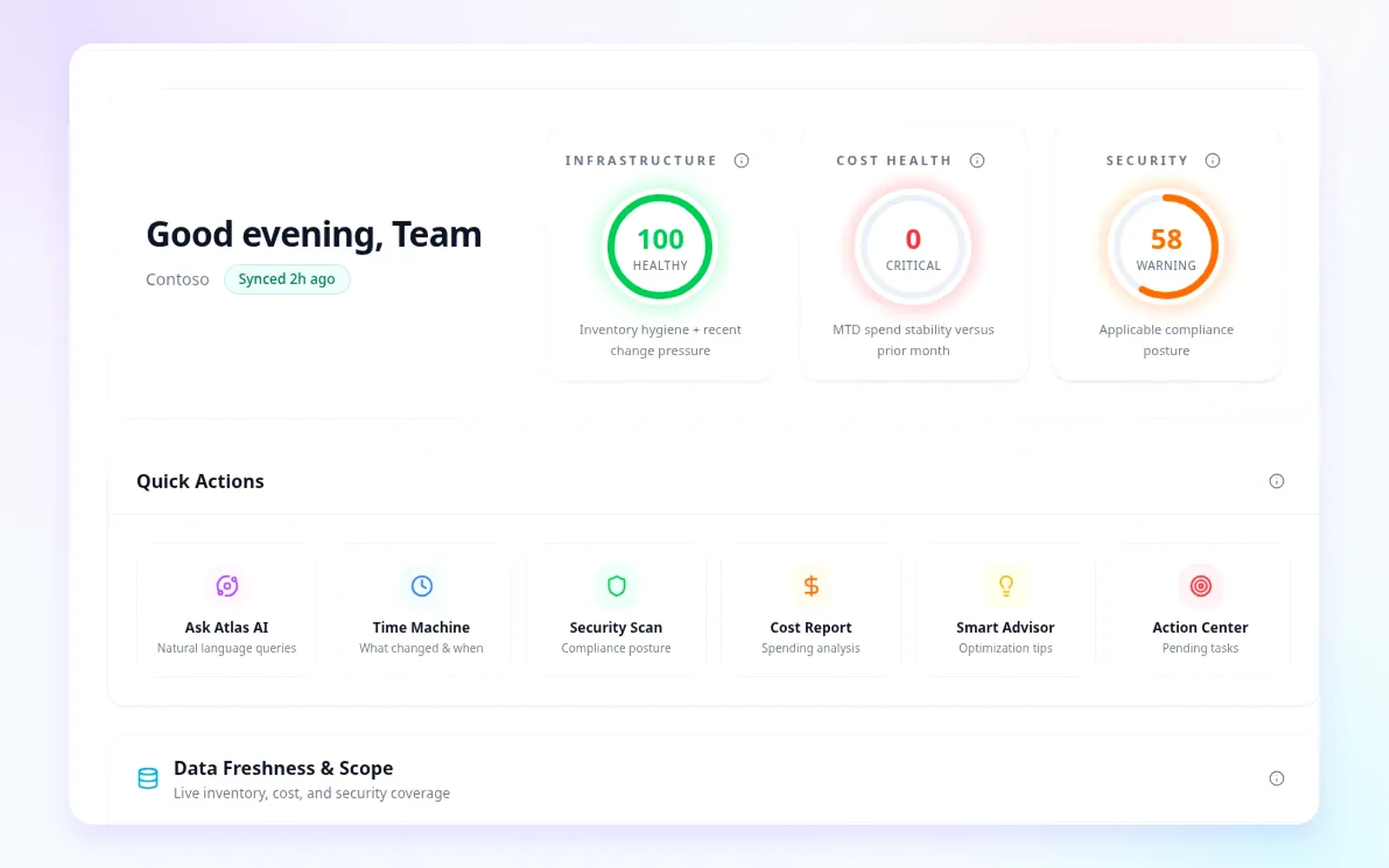
Lineage Cloud dashboard showing Azure operational intelligence
History
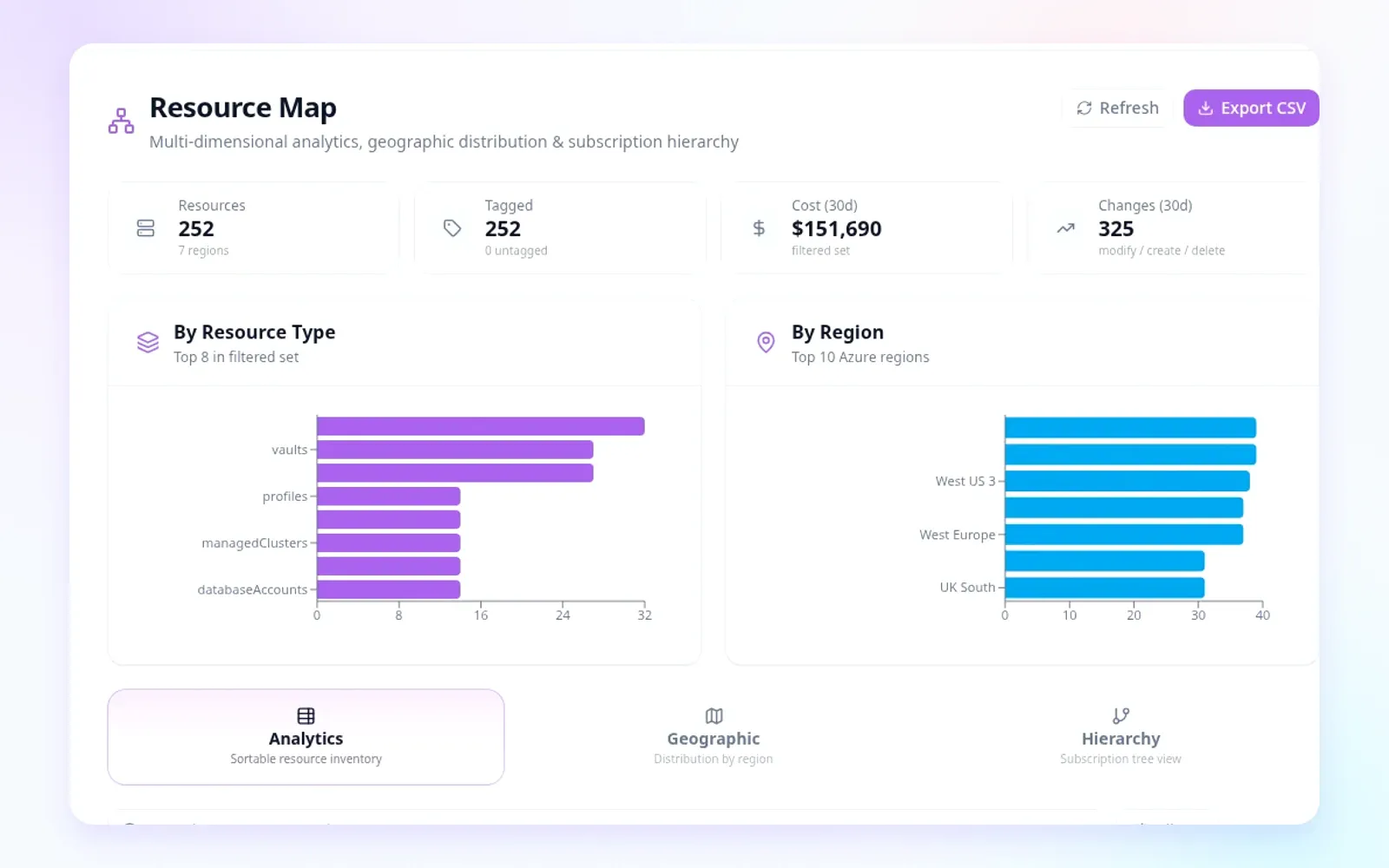
Snapshots, diffs, and deleted resources
Owners
Action Center, owners, and decisions
Controls
Approval, policy, and audit paths

Answer the four questions behind every Azure review

Monitoring tells you what is happening now. Lineage connects history, identity, cost movement, and ownership so teams can move from signal to decision without building a report by hand.

What

What changed?

Review snapshots, diffs, timelines, deleted resources, and drift across the selected Azure window.

Who

Who changed it?

Connect activity, identity, RBAC, service principal, and automation context where source data is available.

How much

What did it cost?

Put cost movement beside the resources, owners, and changes that shaped the review period.

What next

What should happen next?

Route ownership, prepare a report note, or review an approved action path when the account has it enabled.

From Azure signals to assigned work

Lineage keeps Azure teams from jumping between cost charts, activity logs, security findings, recommendations, tickets, and screenshots. It keeps the review window intact, connects related changes, routes follow-up to owners, builds recurring reviews, and supports approved AI-assisted operations where enabled.

Operating loop

Sync. Compare. Explain. Assign. Package. Approve.

One path from Azure activity to the owner, review pack, and approved operating action.

01

Sync

Collect Azure resource, cost, activity, identity, recommendation, and risk signals.

02

Compare

Keep snapshots, timelines, diffs, and deleted-resource history for the selected review window.

03

Explain

Connect change history to cost movement, identity context, activity, risk, and ownership.

04

Assign

Route findings through Action Center with owners, status, comments, and decisions.

05

Package

Build reports, exports, schedules, and recurring review packs from the same source context.

06

Approve

Use Atlas AI, Azure Write, and Deployment Mode only inside approved action paths where enabled.

The review layer for Azure teams

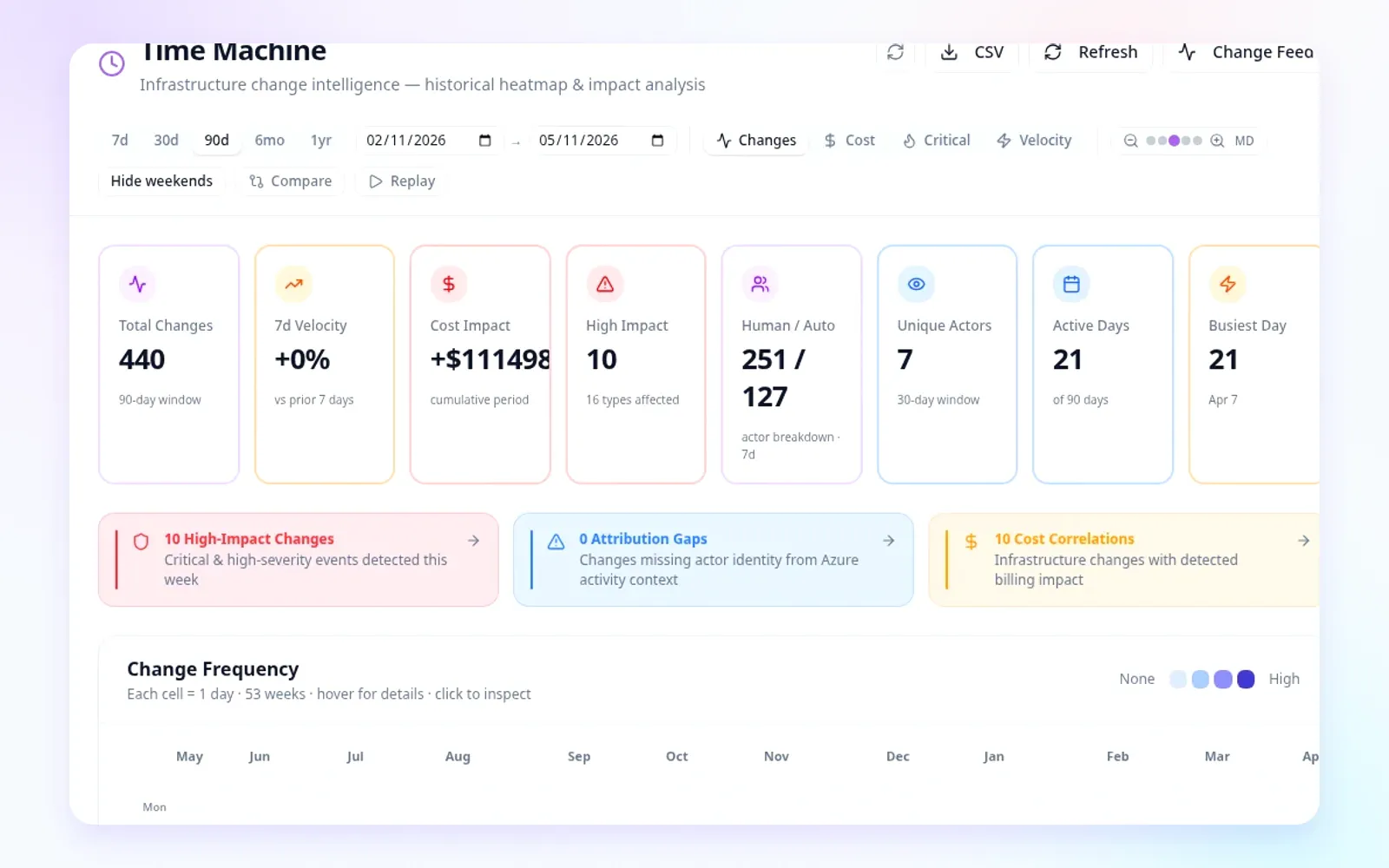
Time Machine is the historical memory. The full Lineage workspace connects change intelligence, cost movement, identity and risk, assigned work, reports, Atlas AI, and administrable trust controls.

Change intelligence

See what changed, when it changed, who acted, and what downstream signals moved.

Cost intelligence and AHUB / license

Explain Azure cost movement through change, ownership, allocation, commitments, budgets, forecasts, and license material.

Risk and identity context

Review security, compliance, identity, permissions, failed operations, and recommendations with operational context.

Workflow and reporting

Convert findings into assigned, prioritized work and recurring stakeholder review packs.

Governed AI operations

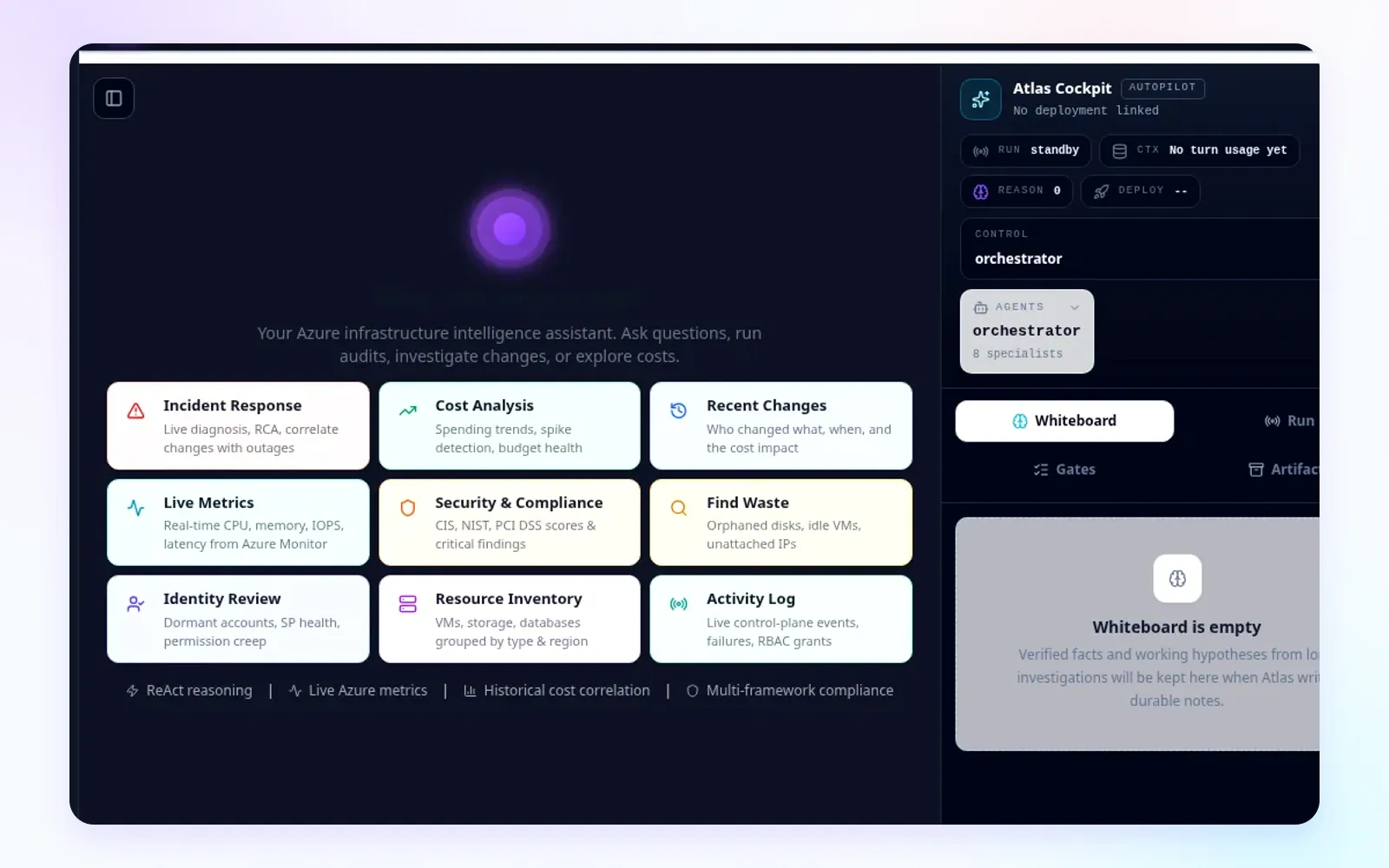
Use Atlas AI for investigation and drafted next steps; keep write-class actions in approved control paths.

Enterprise admin and trust

Manage roles, SSO, API keys, sessions, tenants, audit, sync freshness, health, mail, licenses, and backups.

Product tour by the work your team is doing

Move through the same product surfaces a cloud review uses: operate the estate, investigate change, explain cost, manage risk, route work, administer access, and use Atlas AI where approved.

Operate

See Azure posture, freshness, cost, and risk in one dashboard.

Dashboard gives platform, finance, security, and leadership teams a common starting point for posture, freshness, cost, risk, and assigned work.

Operating overviewFreshness contextCross-domain signals
https://swavesglobal.com/lineage/app/dashboard
Dashboard

AI assistance with operational guardrails

Lineage separates investigation from write-class operations. Atlas AI can help analyze source context and draft next steps. Where enabled, Azure Write and Deployment Mode route action through customer identity, product permissions, approval, policy checks, execution records, and verification.

Atlas AI investigation

Grounded assistance

Ask operational questions across Lineage history, cost, risk, activity, and Action Center context, then prepare summaries and follow-up material for review.

Azure Write

Identity, RBAC, approval

Where enabled, route approved write-class operations through customer identity, Azure RBAC, product permissions, approval, policy checks, execution records, and audit.

Deployment Mode

Plan, approve, verify

Where enabled, organize infrastructure change through intent, preflight, plan, what-if, approval, apply, verification, and run records.

Atlas AI
Grounded in approved Lineage context
FE
FinOps engineer
Explain what changed before this cost increase and prepare the review notes.
https://swavesglobal.com/lineage/app/atlas-ai
Atlas AI workbench with specialist ownership, phase controls, and workbench telemetry

Built to work with the Azure tools you already use

Lineage is not a replacement for Microsoft-native tools, FinOps platforms, CNAPPs, ITSM systems, observability platforms, or IaC pipelines. It adds a review workspace that connects their signals to Azure history, assigned work, reports, and approved action.

Azure Portal, Cost Management, Advisor, Defender for Cloud, Entra
Keep using it for

Native control plane, security posture, recommendations, identity administration, and billing or cost views.

Lineage adds

AI summaries tied to tenant history, costs, risks, owners, recommendations, decisions, and reports.

FinOps platforms
Keep using it for

Broad financial management, allocation, unit economics, billing operations, and finance workflows.

Lineage adds

Azure change and ownership context for why cost moved, plus AHUB and license decision support.

CNAPP and security platforms
Keep using it for

Cloud security posture, exposure management, vulnerability programs, policy, and security operations.

Lineage adds

Azure operational history, identity and activity context, Action Center ownership, and report-ready risk notes.

ServiceNow, Jira, Azure DevOps
Keep using it for

Enterprise ticketing, approvals, service management, change records, and systems of record.

Lineage adds

Azure-specific investigation context, suggested follow-up work, retained decisions, and review packs.

Terraform, Bicep, GitOps, deployment systems
Keep using it for

Source-controlled infrastructure change, plan and apply automation, policy pipelines, and deployment operations.

Lineage adds

Actual Azure-state history, review context, approval-bound artifacts, exact apply, and verification where enabled.

AI assistants and copilots
Keep using it for

General natural-language help, product-specific assistance, summaries, and embedded workflows.

Lineage adds

Lineage-grounded tenant context, historical memory, Action Center ownership, and controlled action paths where enabled.

Designed for private Azure operations

Lineage is built around tenant-aware boundaries, role-gated administration, sync observability, reports, audit surfaces, and account-specific security review. Evaluation teams can review the delivery model, permissions, sync health, and administrative controls before rollout.

Tenant-aware application and data-access boundaries

Role, group, permission, SSO, and API key administration

Active session and audit visibility

Sync status, history, scheduler health, configuration, and progress

Report scheduling and delivery controls where configured

System health, mail, license, backup, and restore administration

Account-specific security and data-handling review

Deployment architecture review for network, data, and model-routing scope

Evaluate Lineage against one Azure question.

Choose a tenant, subscription, customer, or workload. Confirm sources, sync status, access, and the evaluation question. Then run the investigation, produce a source-backed summary, and review administration and advanced capability scope.

Change investigation

Bring a recent incident window or change review.

Cost movement

Bring a subscription, service, or resource group with spend movement.

Risk and identity

Bring a set of risks, identities, failed operations, or permissions.

Reports and MSP / QBR

Bring a recurring review or stakeholder reporting need.

Governed AI operations

Scope Atlas AI, Azure Write, or Deployment Mode only where approved.

Assigned work and review packs

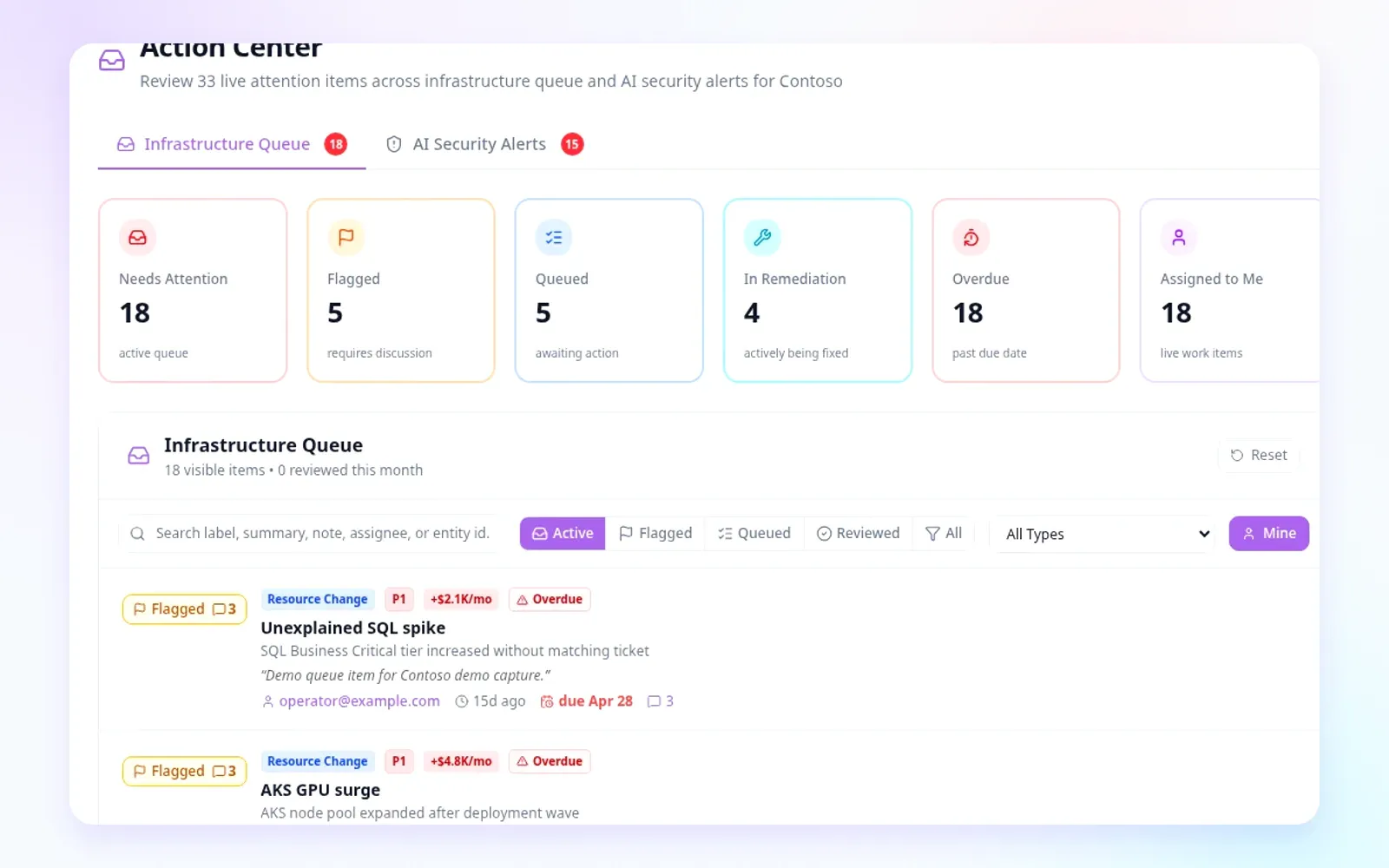
Action Center turns findings into assigned, prioritized work. Reports turn the same source context into executive reviews, audit packages, cost reviews, security and identity reviews, MSP QBRs, and recurring service packs where configured.

Owners and status
Comments and decisions
Accepted risk and dismissals
Schedules and exports
https://swavesglobal.com/lineage/app/action-center
Lineage Action Center screen

Lineage evaluation questions

What problem should we evaluate Lineage against first?
Start with a real Azure review question: a cost increase, a resource change, an access concern, a security finding, a failed operation, or a recurring QBR pack that takes too much manual work. Lineage is strongest when there is a concrete review window and a clear owner for the outcome.
What data does Lineage need?
A typical evaluation starts with Azure resource inventory, activity logs, cost exports, identity and RBAC context, recommendations, and security posture signals. The exact source list depends on the tenant, the evaluation question, and the permissions the customer approves.
Does Lineage replace Azure Portal, Defender, Entra, or FinOps tools?
No. Microsoft-native tools and specialist products remain the systems of record for their categories. Lineage adds the cross-domain review layer: what changed, who touched it, what cost or risk moved, what decision was made, and what should go into the report.
Can Atlas AI or Lineage make Azure changes?
Atlas AI is investigation-first. Write-class operations are available only when a customer enables them, and they must pass through customer identity, Azure RBAC, product permissions, approval, policy checks, execution records, and audit review.
How are docs and customer access handled?
Product docs are available through /lineage/docs. Customer workspace access starts at /lineage/customer-portal. Protected docs and account pages require a valid portal session.
How fresh is the data?
Lineage exposes sync status, history, scheduler health, configuration, and progress so teams can see whether data is current, stale, failed, or still syncing. Cadence, retention, and freshness expectations are set during deployment planning.
What trust controls should be reviewed before rollout?
Evaluation should include tenant boundaries, role and group mapping, SSO, API keys, active sessions, audit logs, sync observability, system health, report delivery controls, license administration, backup and restore posture, and the approved deployment architecture.
What happens after a successful evaluation?
The next step is usually a deployment plan, a permission model, source configuration, reporting requirements, and a support path. If advanced capabilities such as Azure Write or Deployment Mode are in scope, they are treated as separate governed enablement work.

Bring one Azure question.

We will review how Lineage connects source context, explains the decision, routes ownership, and produces a reviewable summary, ticket, or report while keeping advanced actions governed where enabled.