Keep employee records, time, requests, expenses and payroll preparation connected. People & Payroll supports the employee lifecycle, organisation structures, shifts, attendance, leave, expenses, performance and controlled payroll preparation with employee and manager self-service.
Employee lifecycleAttendance and leaveExpenses and performancePayroll preparation
A current employee and organisation recordVisible attendance, leave and request exceptionsControlled preparation and review before payroll postingEmployee and manager actions routed through defined approvals
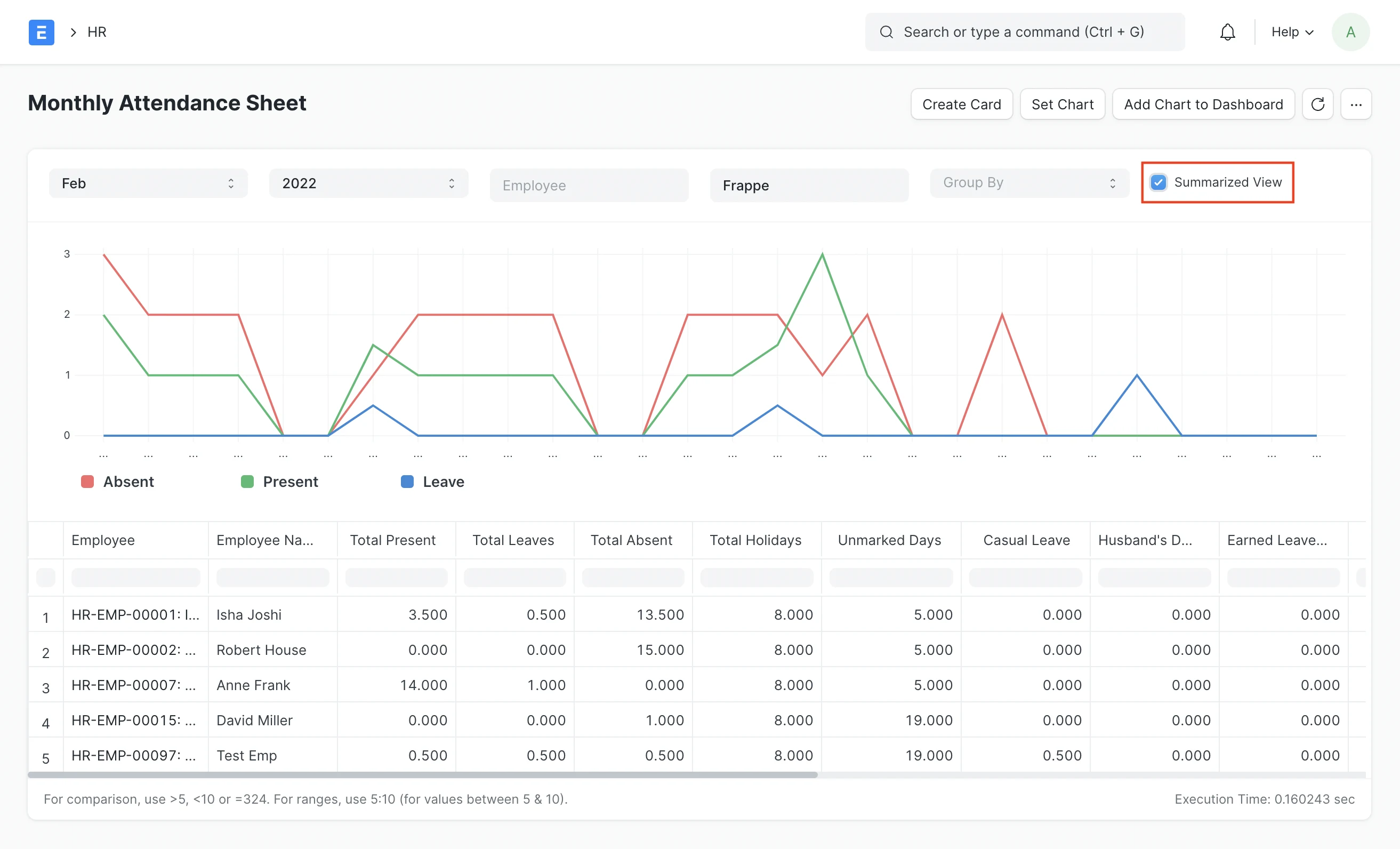
Actual application interface from the official module documentation; final configuration and scope are confirmed per deployment.
People operations applicationAttendance summary
Actual application interface from the official documentation. View source · CC BY-SA.
01Recruit
02Join
03Attend
04Develop
05Pay
06Offboard
Working coverage
Capability where the transaction and responsibility meet.
Growing organisations that need to replace fragmented employee records and manual approval chains while establishing a governed route into payroll.
Employee lifecycle
Maintain accountable employee events from candidate and onboarding through movement and exit.
Recruitment and offers
Employee records
Onboarding and checklists
Promotion and transfer
Organisation and reporting lines
Separation and exit
Time, shifts and attendance
Connect schedules, check-ins and attendance decisions without hiding exceptions.
Shift types and assignments
Employee check-in
Manual and auto-attendance
Late, early and missing records
Attendance requests
Monthly and shift reports
Leave and self-service
Give employees and managers a visible route for leave, requests and approvals.
Leave policies and allocations
Leave application
Holiday lists
Approval workflow
Balance visibility
Employee mobile and self-service
Expenses and advances
Capture employee spending and advances with evidence, approval and accounting hand-off.
Expense claims
Employee advances
Receipts and supporting documents
Multi-level approval
Payable and settlement status
Project or cost-centre context
Performance
Support goals, feedback and appraisal cycles with agreed review responsibility.
Goals and key result areas
Appraisal templates
Self-appraisal
Manager review
Feedback records
Appraisal cycles
Payroll
Prepare payroll from approved structures and inputs, then review exceptions before accounting output.
Salary structures and assignments
Earnings and deductions
Attendance or timesheet inputs
Additional and off-cycle salary
Payroll entry and salary slips
Accounting and bank output preparation
End-to-end flow
From approved time inputs to reviewed payroll
The payroll run is treated as a controlled sequence with explicit input, exception, approval and posting stages.
01
Close inputs
Confirm attendance, leave, timesheets, benefits, changes and additional salary records for the period.
HR operations02
Validate
Review missing attendance, unapproved requests, incomplete employee data and policy exceptions.
HR and managers03
Prepare
Generate the payroll population and salary slips from approved structures and inputs.
Payroll04
Review and approve
Check totals, variances, exceptions, deductions and the proposed accounting output.
Payroll and finance05
Post and distribute
Complete authorised postings and outputs, then make approved employee documents available.
Finance and HR
Role views
The same process. Different working context.
Each person sees the queues, measures, records and actions that belong to their responsibility.
Payroll, taxation, social contributions, statutory forms, bank files and labour-policy configuration are country and organisation specific and require qualified local review before use.
Connected applications
Continue the operating cycle.
Move into the responsibilities that sit immediately before, after or alongside this application.
Sense ERP solutions may use and extend established open-source business platforms, including the ERPNext and Frappe ecosystem, alongside Swaves configuration, integration and managed services. Capabilities and interface patterns shown here are referenced against current published module documentation. ERPNext and Frappe are trademarks of their respective owner. Swaves does not claim partner certification, endorsement or ownership of upstream products.
Current companies, sites and systemsUsers, roles and approval authorityPriority process and known exceptionsMigration, statutory and integration requirements